
Bodic Business Intelligence
Two ways to steer your data: BI built into Bodic, so every team builds and shares its own dashboards without a third-party tool, and Power BI dashboards built on the Bodic Golden Source with Drivn, for your committees and your most demanding reporting.
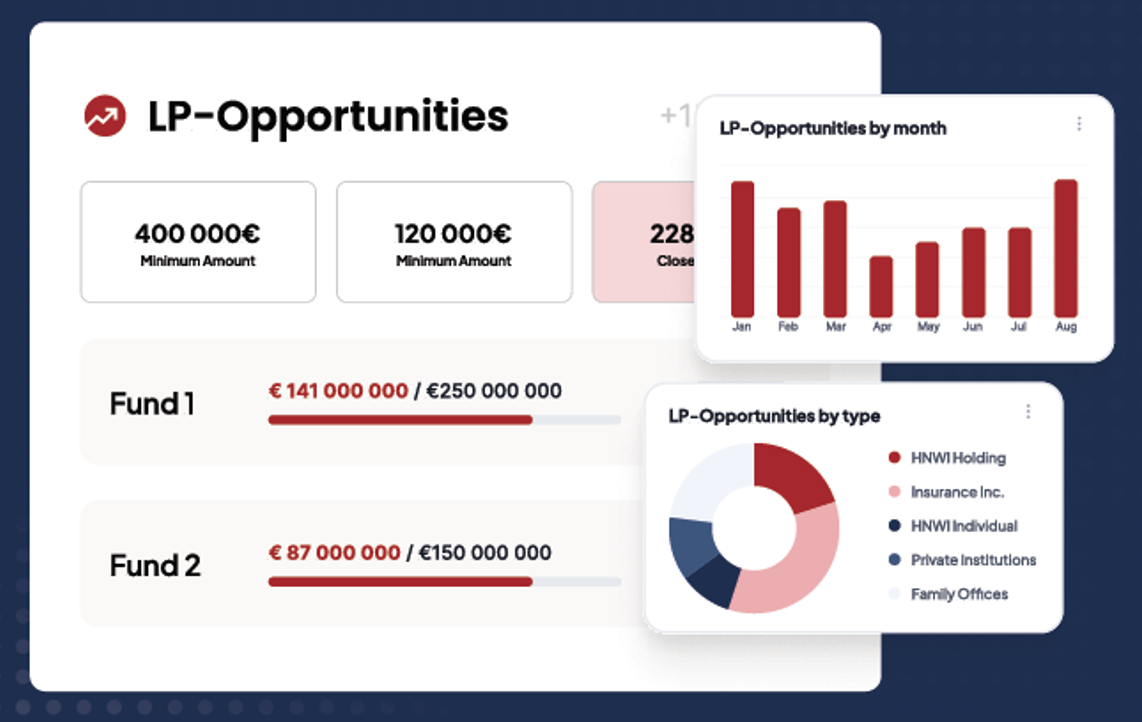
What's new in September
Your custom fields, everywhere in the BI
The fields you created in Bodic (an account's AUM, sector, a deal's expected valuation, watch list…) work like any other data: as a list column, a filter, a chart axis or a measure, depending on their type. A field someone is not allowed to see does not appear in their dashboards.
Lists as comfortable as a spreadsheet
A dashboard's record lists can be read and handled directly:
- Sort by column, across all data and not just the rows displayed
- Statuses sorted in their business order (stage 1, 2, 3…), not alphabetically
- Columns you can reorder and resize, header always visible while scrolling
- Pagination, with no limit on the number of rows you can view
- People shown as initials to save space, full name on hover
The author sets the default layout. Each reader can then adapt their own, without changing anything for others, and return to the author's view in one click.
Filters ready when the dashboard opens
A filter can cover several values at once, for example several stages of a pipeline. The author chooses the values applied when the dashboard opens, and the reader ticks or unticks their own.
Excel export
The dashboard on screen exports to Excel, with the filters applied and a summary tab that lists them.
A tailor-made Deal Flow dashboard
Deals tracked by owner, headquarters country, status and amounts, with the filtered list of deals: a deal flow steering dashboard built directly in the BI, with no third-party tool.
BI built into Bodic
Your indicators where you work. The built-in BI draws directly on the platform's data: CRM, fundraising, deal flow, portfolio, activities. Nothing to export or sync: a dashboard shows the data entered in Bodic.
Get started in minutes with templates
Four dashboard templates are ready to use: CRM, LP Pipeline, Deal Flow and Marketing. Before choosing one, you see the list of indicators and charts it will create. Templates only offer the data your instance actually feeds.
Dashboards anyone can filter
Global filters adapt to the dashboard's content: fund, country, city, segment, LP sub-type, owner, status… Each filter shows how many blocks it applies to. A filter can cover several values and open on a selection chosen by the author. The reader picks a view from a list, without changing the dashboard.
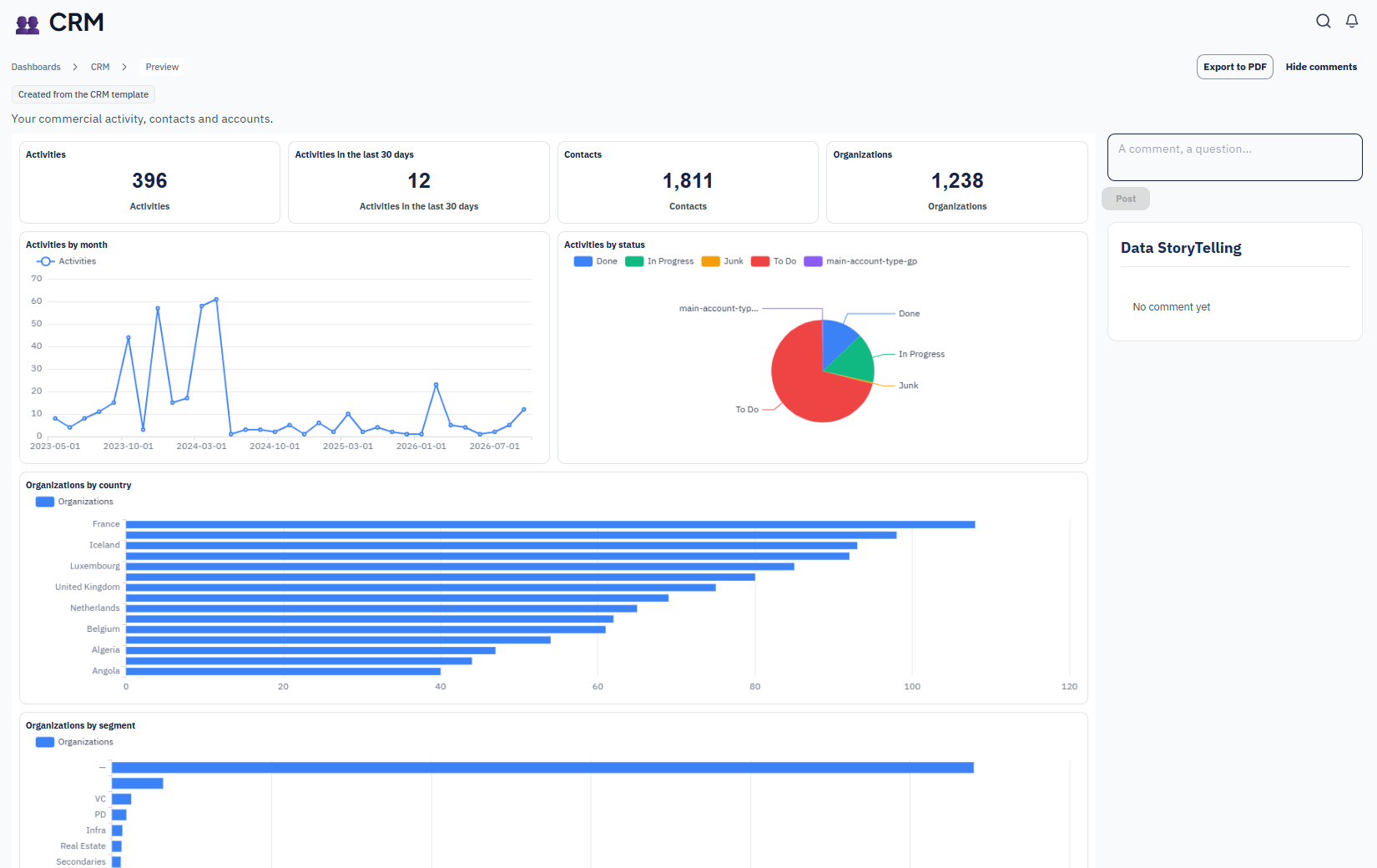
CRM template
Activities by month and by status, CRM key figures, organisations broken down by country and by segment.
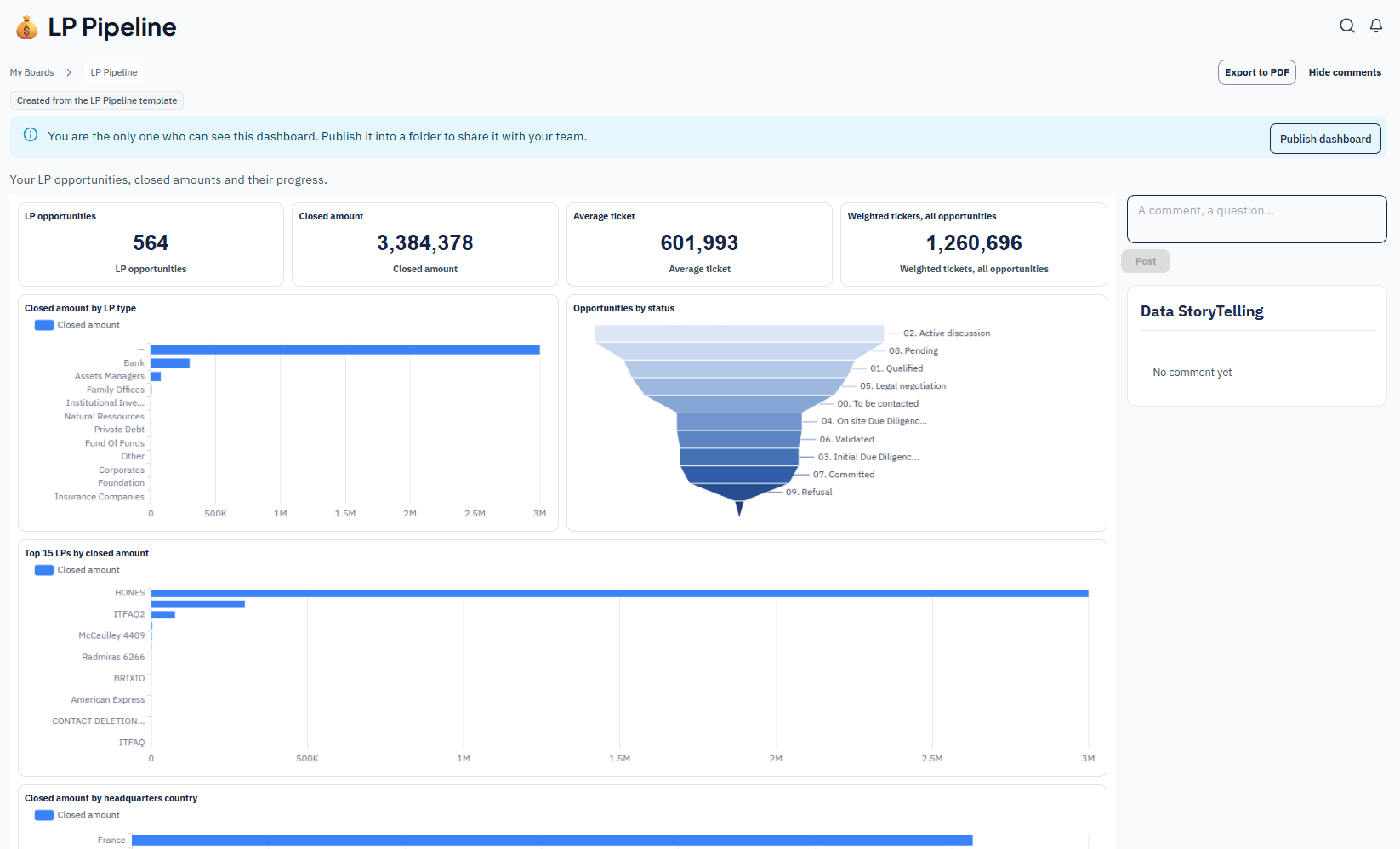
LP Pipeline template
LP opportunities, closed amounts and average ticket, funnel by status and ranking of LPs by closed amount.
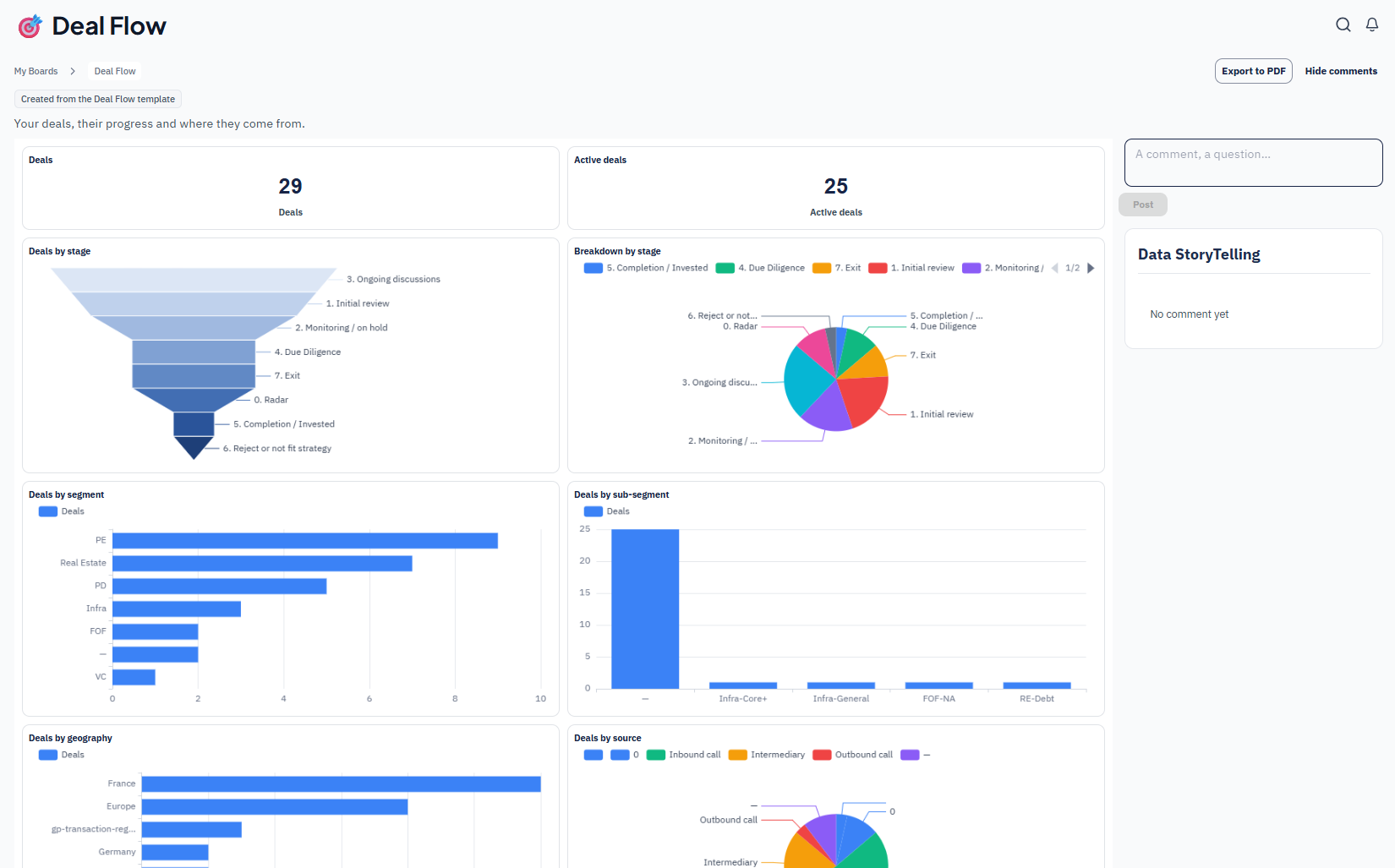
Deal Flow template
Deals and active deals, funnel by stage, breakdown by segment, geography and source.
Build your indicators, share them under control
Build your own indicators
- A KPI catalogue shared by the whole team, with common definitions.
- More than ten chart types: vertical and horizontal bars, lines, areas, pie, funnel, waterfall, treemap, radar, gauge, table and key figure.
- A live preview while you build a chart.
- Relative date filters ("last 30 days"), rankings and caps on breakdowns.
- Your custom fields as columns, filters, axes or measures, just like standard data.
- Record lists you can sort, reorder and page through, with a default layout each reader can adapt for themselves alone.
Share under control
- Folders and access groups: each team only sees the dashboards that concern it.
- Field-by-field visibility: a custom field restricted to certain groups stays invisible to others, in dashboards and exports alike.
- Controlled publishing: a dashboard stays visible to its creator only until it is published.
- PDF and Excel export for your meetings and mailings. The Excel export reproduces exactly what is displayed, filters included.
- Data storytelling: comments and questions right on the dashboard, to keep track of the analysis.
- Bilingual: labels in French and English.
- Accessible: the Bodic colour palette stays readable for colour-blind people.
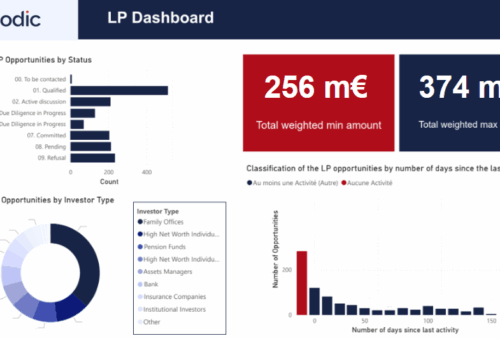
Power BI on the Bodic Golden Source, in partnership with Drivn
Committee dashboards built on reliable data. For your most advanced reporting, Bodic combines a data model designed for investment funds, the Bodic Golden Source, with the Power BI expertise of Drivn.

1. Data model
Funds, vehicles, holdings, cash flows, AUM and ESG indicators brought together in a single model. The GP Deal Flow Power BI dashboard reads a dedicated data view designed for reporting: platform changes no longer break it.
2. Committee dashboards
Standardised views for investment committees and LP meetings.

3. Working with your teams
Workshops to tailor indicators and filters to your needs.
Who does what
Bodic
Provides the Golden Source and in-depth knowledge of how funds work.
Drivn
Optimises the Power BI models, documents them and trains your teams.
Which BI for which use?
| Bodic built-in BI | Power BI × Drivn | |
|---|---|---|
| For whom | Every team: IR, fundraising, deal, management | Committees, management, advanced LP reporting |
| Set-up | Immediate, from templates | Project supported by Drivn |
| Data | Directly the platform's own data, custom fields included | Bodic Golden Source, through dedicated data views |
| Customisation | By the users, no code | Advanced, tailor-made modelling |
| Sharing | Folders, access groups, PDF and Excel export | Your organisation's Power BI workspaces |
The two offers complement each other: the built-in BI serves day-to-day steering, and Power BI serves in-depth analysis and committee reporting.
Move to a BI you can trust
Start with the built-in BI, add Power BI when your committees require it: both rely on the same data.